If your team uses Bring Your Own AI Keys and prefers to route every document directly through your own provider, our support team can turn the Reader off for your account — your folios fall back to direct AI calls on the original file bytes, the same path FolioReady used before this release.
Connecting...
Document AI Reader: Every File Format, Read End-to-End
Until now, the AI features behind FolioReady — field extraction, document synopsis — only really shone on PDFs and clean image scans. Word docs, Excel workbooks, PowerPoint decks, HTML exports, epub policy documents: they worked, but each one took a different path through the AI, and the results varied. This release fixes that. Every common file format is now parsed into a clean text representation the moment it lands, and every AI feature in FolioReady reads from the same parsed content. Cleaner input, more consistent output, far fewer "the AI didn't read that one properly" moments.
What's New
Every common file format, not just PDFs
The supported list now covers Word (DOCX, DOC, RTF), Excel (XLSX, XLS, CSV), PowerPoint (PPTX, PPT), OpenDocument variants (ODT, ODS, ODP), HTML, plain text and Markdown, and EPUB — alongside the PDFs and images that already worked. Whatever your clients send, the AI reads it the same way.
Two AI passes, cross-checked
Every uploaded document now goes through two AI passes that produce independent answers. When both agree, the field value lands marked Confirmed. When the second pass corrects the first, you can see the original suggestion alongside the final answer marked Corrected. When only one pass produced a value, that's flagged as From text only so you know to give it a closer look. Less second-guessing — the markers tell you which fields are well-evidenced.
Parse status badges on every file
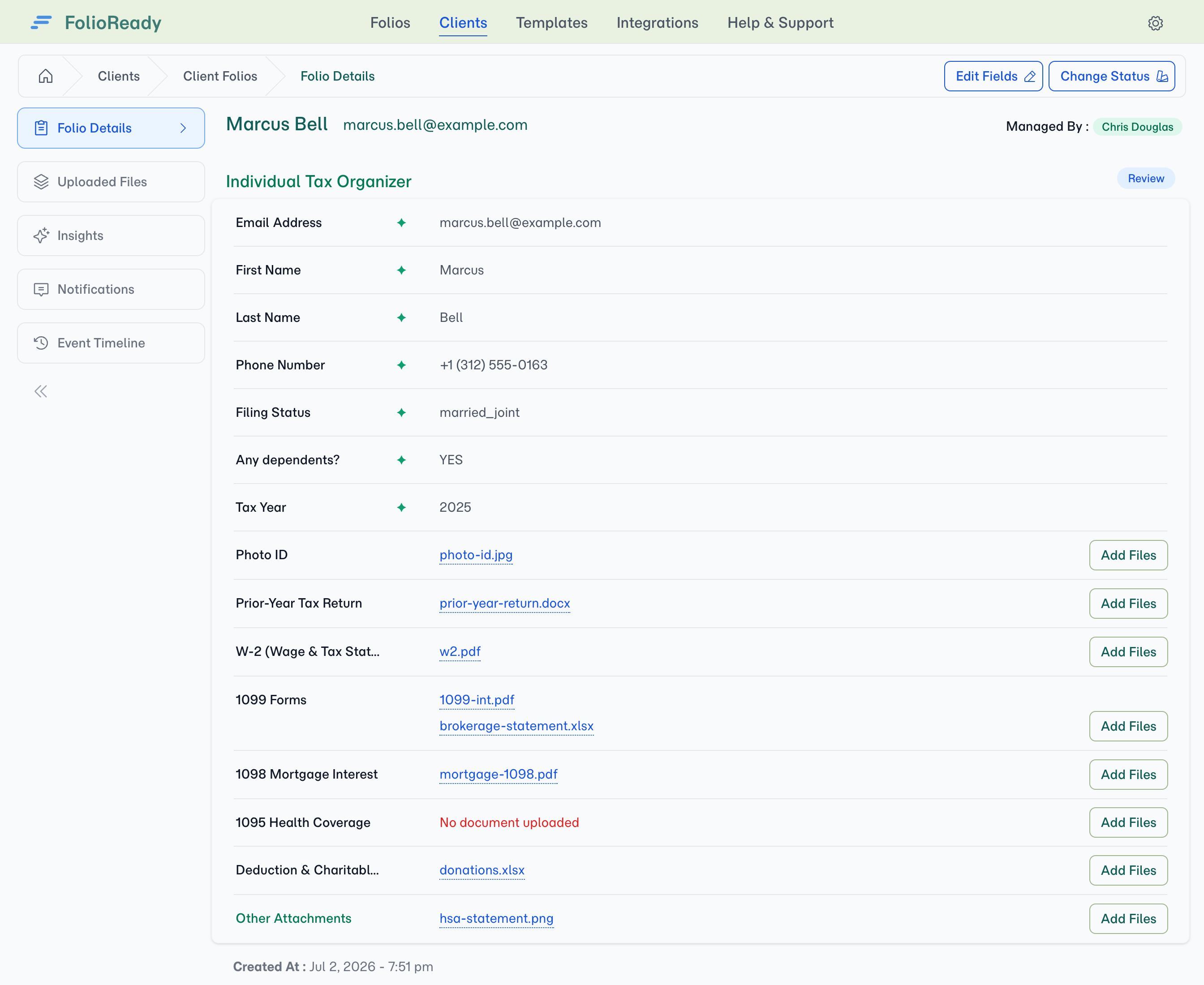
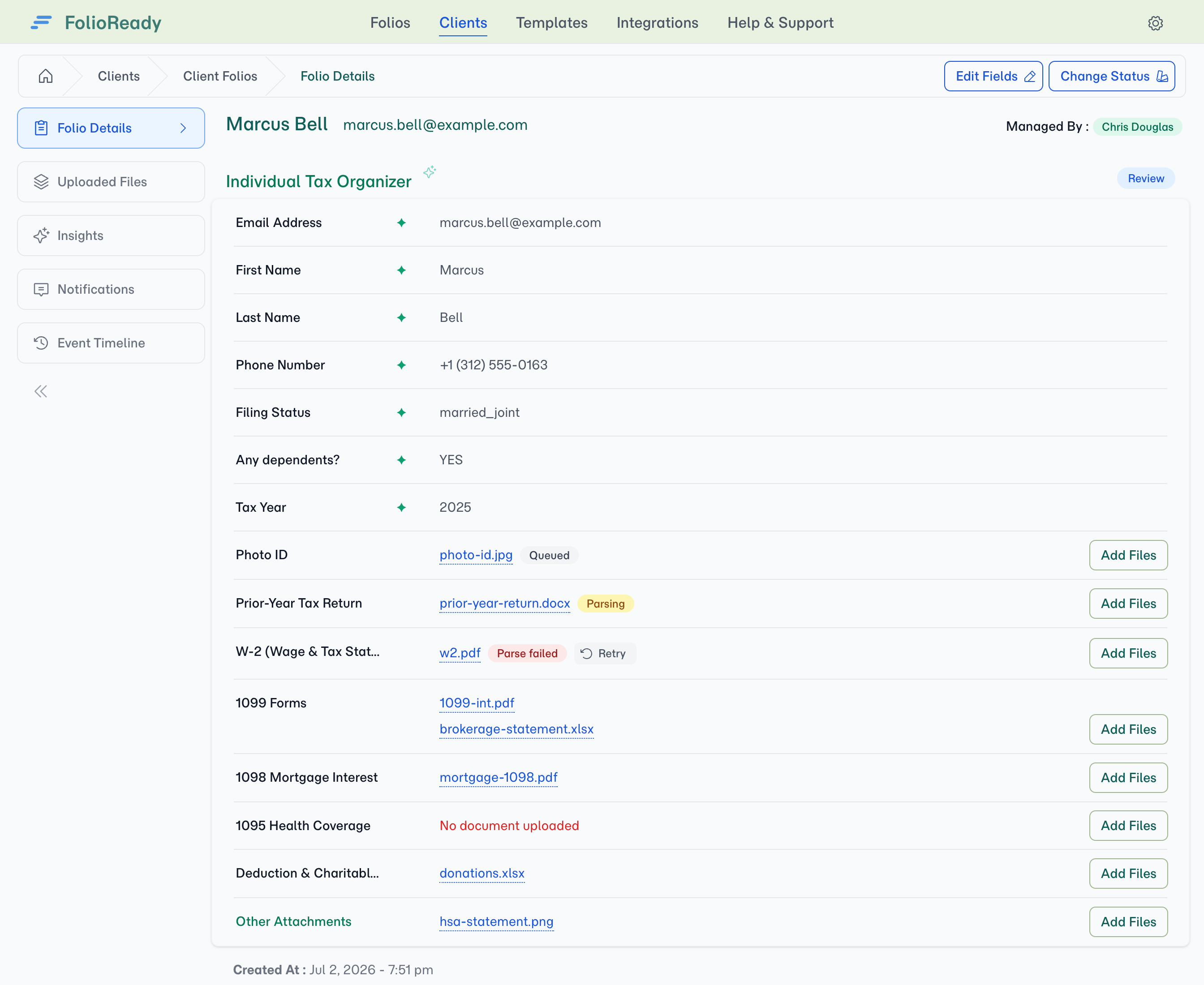
Each file row carries a small badge so you know at a glance where the document is in the read pipeline: grey Queued, yellow Parsing…, or red Parse failed. The badge shows up the moment the file uploads and clears once the file is read and ready — no need to refresh or guess whether the file is ready.
AI re-runs automatically on every new upload
Add a file to a folio that's already been AI-processed and the whole AI cycle — parse, extract, synopsise — re-runs across the section. New files always pick up the current template prompt; existing field values are re-extracted against the combined evidence. You don't need to remember to re-run anything; the act of uploading is the signal.
How to Use It
Nothing to enable — Document AI Reader is on by default for every account. To get the most out of it:
- Upload any supported file to a folio (portal, manager upload, or email ingest) and watch the Parse badge cycle from Queued to Parsing — it clears once the file is read.
- Open the file's Synopsis tab — populated automatically once the parse finishes.
- Check submitted folio fields for the Confirmed / Corrected / From text only marker on AI-suggested values; treat From text only as a "review more carefully" hint.
- Need to refresh extraction with a new file partway through? Just upload the new file — the section re-extracts automatically.
💡
Worth knowing
What's Improved
One parse, every AI feature
Field extraction and document synopsis used to read each file independently, which meant the AI looked at the same document twice in slightly different ways. Now both features read from the same parsed text. That's faster (no double-parsing), cheaper (no double-billing for the parse), and more consistent (synopsis and extraction can't disagree about what the file said).
Fewer "the AI missed that" failures
The biggest source of AI inaccuracy used to be awkward scans, unusual layouts, or formats outside PDF/image. The new Reader handles all of those before any AI feature sees the file, so the AI starts from clean text instead of pixel-guessing. Genuine reader failures (red Parse failed) are rare and almost always mean the file is corrupted or password-protected.
Related
- Document AI Reader — Full feature overview with the supported format table and badge states
- Document Synopsis — One-paragraph AI summary per file; uses the same parsed content
- AI Automation — Automatic field extraction from uploaded documents
- Bring Your Own AI Keys — Route AI calls through your own provider account