FolioReady Is on the Pipedrive Marketplace
FolioReady - AI is now listed on the Pipedrive Marketplace. It took two months of review to get here. You can now find FolioReady, install it and approve it from inside Pipedrive, and it works the same as connecting from FolioReady always has.
What's New
Install from inside Pipedrive
Search the Marketplace for FolioReady, or open the listing, and click Install. Pipedrive asks you to approve access, FolioReady connects to your company, and the app is ready on every person and deal.
A panel on every person and deal
The FolioReady - AI panel sits in the sidebar of each person and deal. It shows that client's folios, what's still missing and how far along each one is, so you can check on a request without leaving the record.
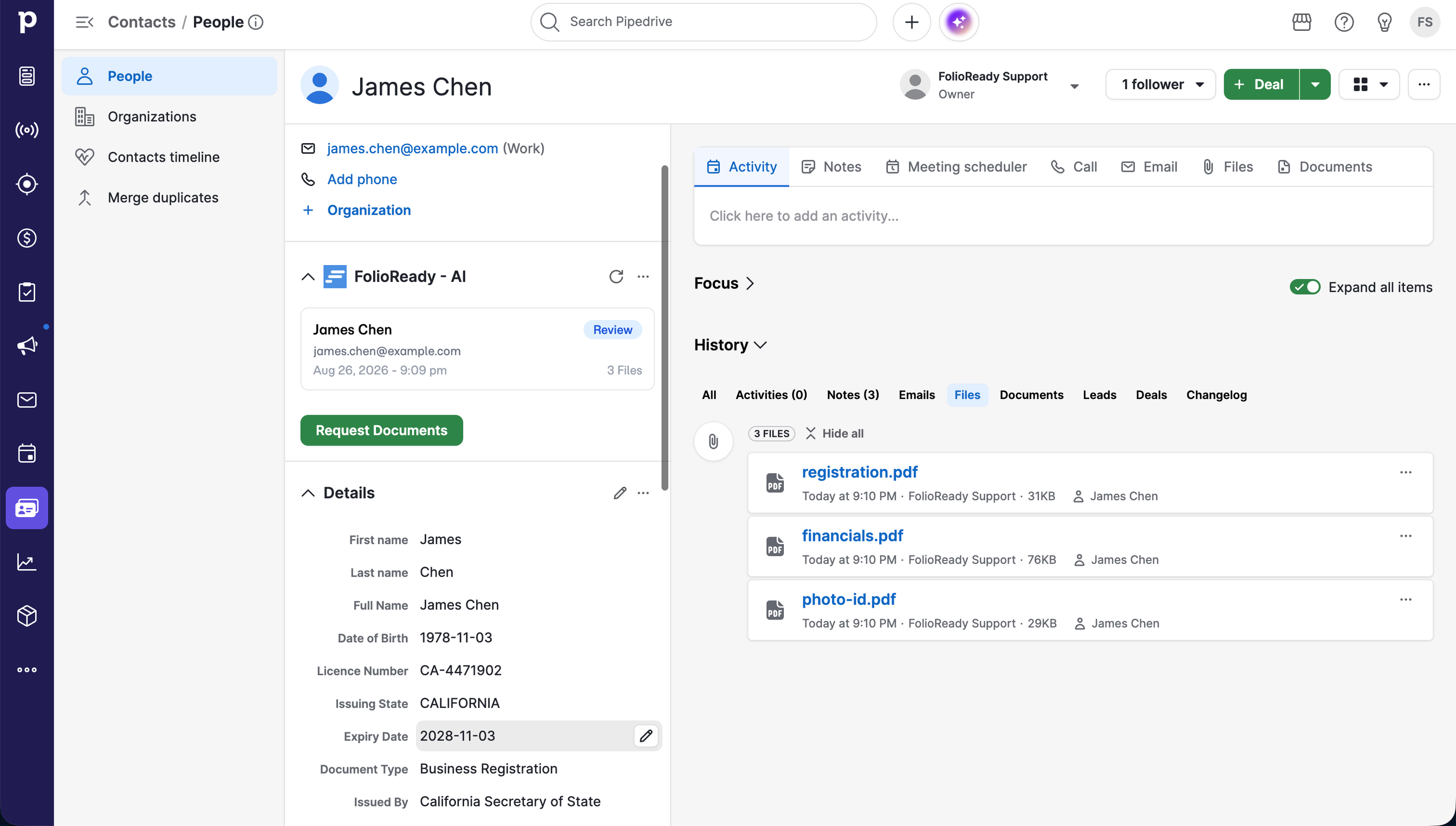
Request documents in two clicks
Click Request Documents on the panel, pick a template, and FolioReady sends your client the request. Their name and email come from the Pipedrive record, so there's nothing to retype.
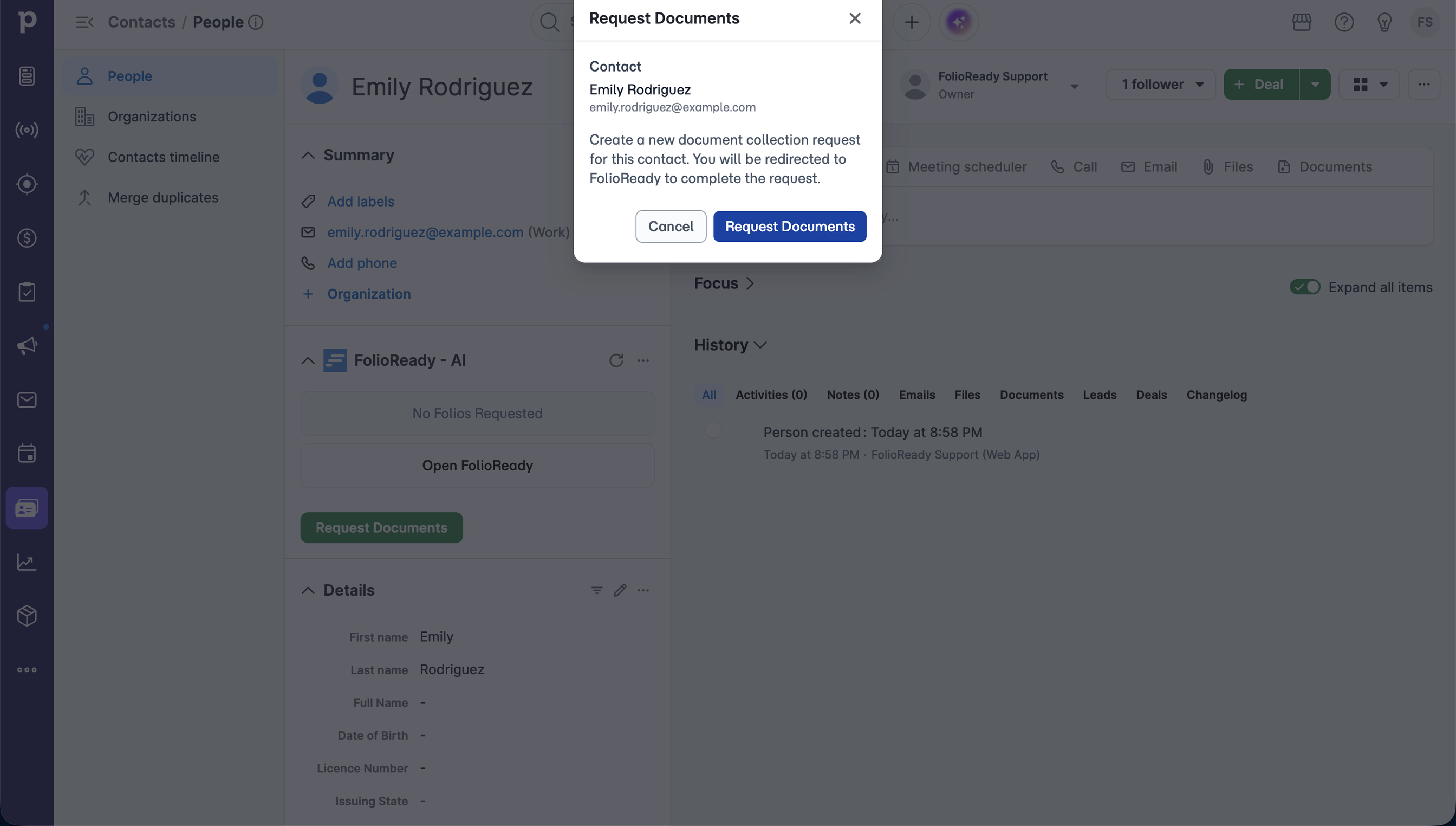
What happens next is the same as ever
Your client uploads through the portal, with no account to create. Reminders chase anything missing. AI reads each document, fills in the values your template asks for and writes them back onto the Pipedrive record, with a summary note for each file.
How to Use It
- If you don't have one yet, create a FolioReady account at folioready.com.
- Open the FolioReady - AI listing and click Install.
- Approve access when Pipedrive asks.
- Open any person or deal and find the FolioReady - AI panel in the sidebar.
- Click Request Documents to send your first request.
Already connected Pipedrive from FolioReady's side? Nothing changes for you. Your connection, field mappings and folios carry on as they are.
Related
- Pipedrive Integration: connecting, importing contacts, mapping fields and the sidebar panel in full
- Pipedrive Integration: CRM-Native Client Workflow: the original integration release