Every imported template is fully yours to edit — add or remove fields, rename document slots, change the wording. Start from the closest match and shape it to how you work.
Connecting...
A Ready-Made Template for Almost Any Intake
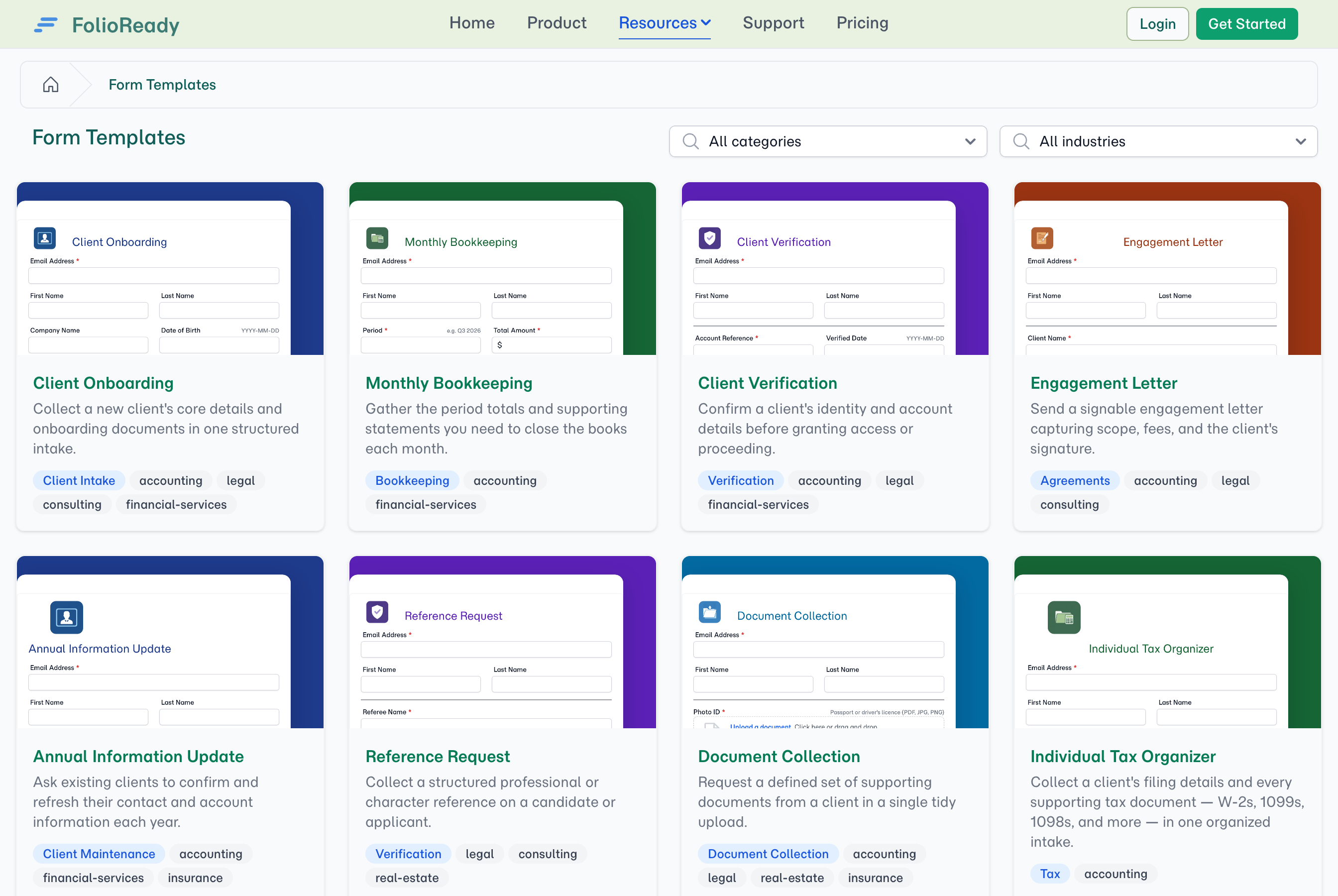
The fastest way to start collecting from a client is to not start from scratch. The template catalog used to hold a handful of ready-made forms; it now holds 86 — covering tax, legal intake, real estate, healthcare, HR, lending, identity and business verification, due diligence, professional services, and more. Browse the gallery, import the one that fits in a click, and adjust it to how you work.
What's New
A template for the work you actually do
Whatever you collect from clients, there's now a starting point for it. The catalog spans the everyday intakes across professional practices:
- Tax & accounting — Individual and Business Tax Organizers, Monthly Bookkeeping, 1099 collection, expense and reimbursement.
- Legal — client intake for family, estate, immigration, personal-injury and criminal-defense practices, plus engagement letters and records-release requests.
- Real estate & property — listing intake, buyer questionnaires, lease and rental agreements, move-in/out inspections, closing checklists.
- Healthcare — patient intake, medical history, HIPAA consent, insurance verification.
- HR & onboarding — employee and contractor onboarding, background-check authorization, ACH/direct-deposit, time-off requests.
- Lending & finance — credit and loan applications, equipment finance, business formation.
- Verification & diligence — identity (KYC) and business (KYB) verification, financial, commercial, tax and vendor due diligence.
- Insurance, education, and professional services — claim and quote intake, certificates of insurance, admissions and scholarship applications, proposals, statements of work, and retainers.
Each one is a real, ready-to-use form — not a blank canvas — so you can be collecting within minutes of finding it.
Built the way that works
Every template in the catalog follows the same proven shape: a clean client-details block up top, the fields specific to that scenario, and — where it makes sense — a named document checklist so clients know exactly which files to send (W-2, photo ID, bank statement). Agreements and consent forms end with a sign-and-submit signature. It's the same structure across the catalog, so anything you import feels familiar and behaves predictably.
Browse before you sign up
The whole catalog is published as a public gallery, so prospective clients — and prospective customers — can see the kinds of intake you run before they ever create an account. More templates on show means more of your work is discoverable.
How to Use It
- Open Templates and browse the catalog — filter by category to find the intake you need.
- Import the template in one click; it lands in your account ready to edit.
- Adjust the fields, document slots, and wording to fit your practice.
- Collect however suits each client — share the portal link, send a request, or hand out the template's email-in address.
💡
A starting point, not a straitjacket
What's Improved
- One catalog, three ways to collect. Every catalog template works as a portal form, a sent request, or an email-in address — you pick per client, with nothing to decide up front.
- Your existing templates are untouched. Anything you've already built keeps working exactly as before; the catalog simply gives you more ready-made starting points alongside it.
Related
- Document Checklists — Ask for named documents as labelled slots, and see at a glance what's still outstanding
- Email Ingestion — Let clients forward documents in by email
- AI Automation — Automatic field extraction from uploaded documents