A FolioReady panel inside Attio installs from the Attio app store — see the Attio integration guide for setup.
Connecting...
Attio Integration: Modern CRM, Same Folio Flow
Attio is our fifth CRM integration, and it ships with the full contact workflow on day one. Connect your Attio workspace, import people straight into FolioReady, and map folio fields to Attio Person and Deal attributes so the data clients submit writes back onto the records your team already works from.
If you're on Attio because you prefer a cleaner, faster, more API-friendly CRM than the legacy options, this connection feels at home — and FolioReady follows Attio's conventions instead of forcing its own.
What's New
Connect your Attio workspace in a few clicks
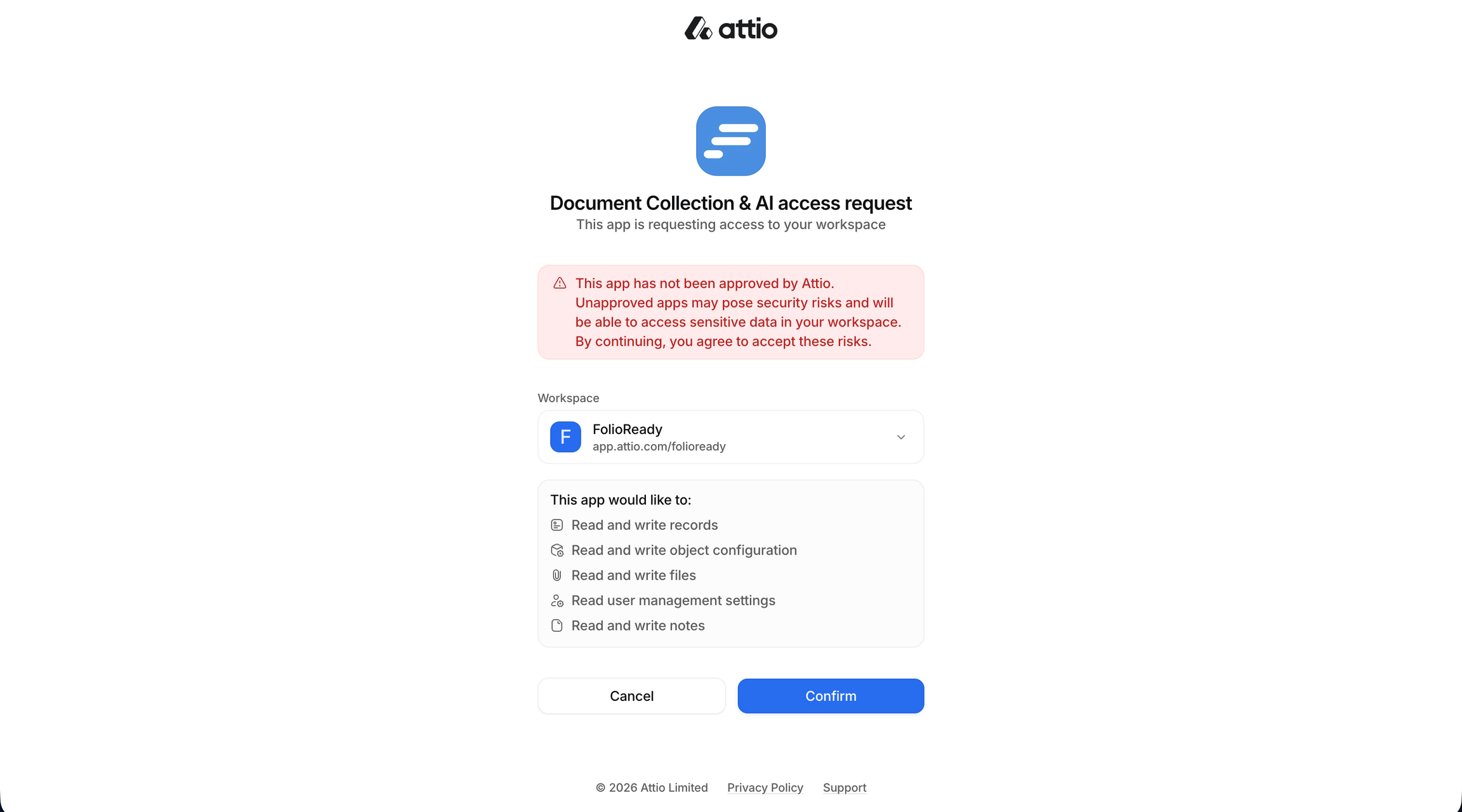
Head to Integrations → Attio and click Connect. You'll approve FolioReady's access inside Attio's own authorization screen, then you're back in FolioReady with the workspace linked. A single connection per company means your whole team shares one authorized workspace — no per-user setup.
Person search and import
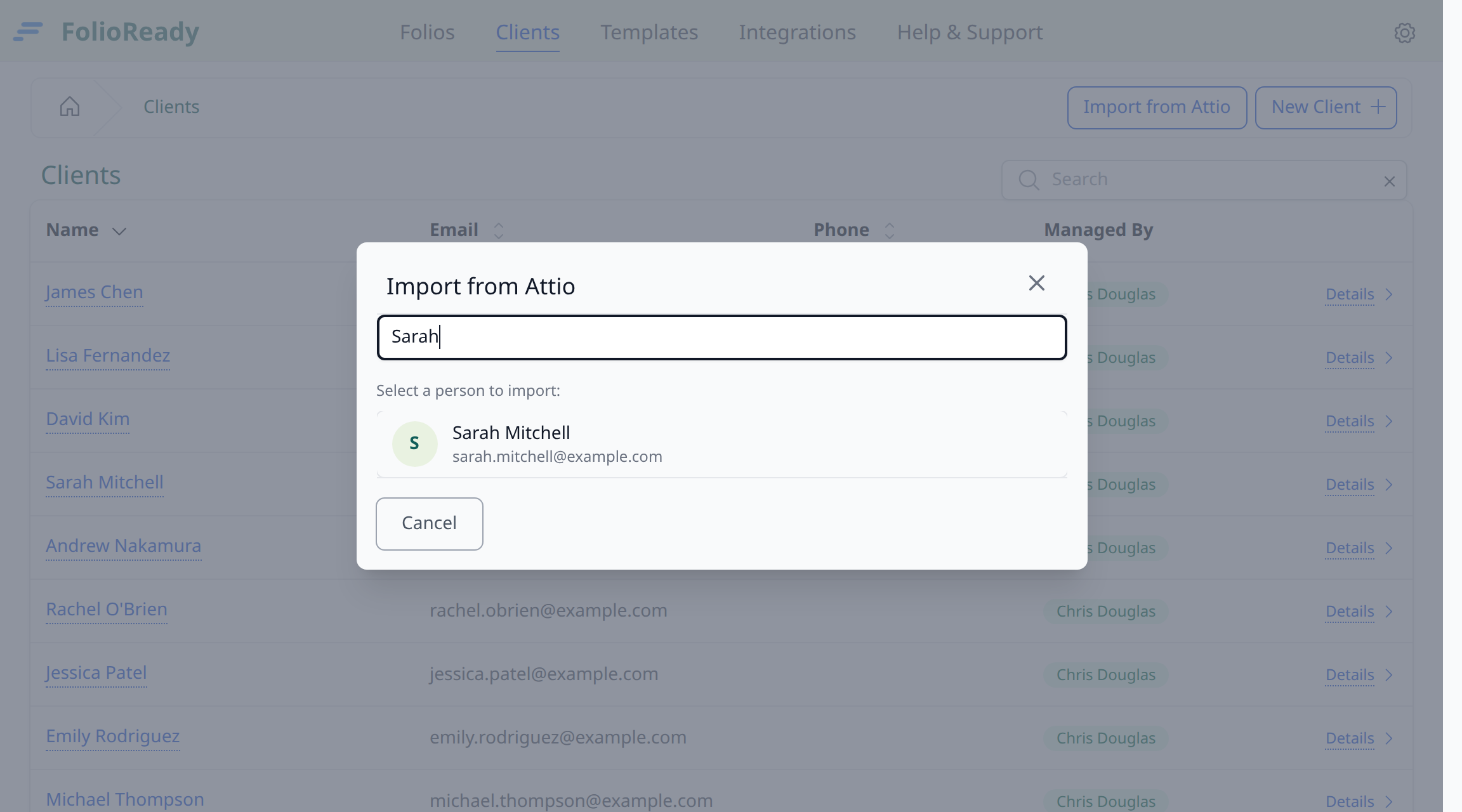
A new Import from Attio button on the Clients page opens a search modal. Type a name or email, see matching Attio people, and click to import. The person becomes a FolioReady client with their name and email pre-filled — and the link between the two records is preserved for every future folio.
Map folio fields to Attio attributes
In the template builder, every canvas field can be mapped to an Attio Person or Deal attribute. When a client completes a folio, FolioReady writes each collected value onto the linked Attio record — no manual re-entry, no copy-paste.
Create custom attributes without leaving FolioReady
Need a custom attribute on the Attio side? Click Create field in the builder's sync settings and FolioReady creates it for you. Every attribute we create is named with a clear folioready_ prefix — search that prefix in Attio's attribute settings and the full list of FolioReady-managed attributes is right there. Your Attio admins always know exactly which fields came from us.
And if you create the same field twice — say two templates both ask for "Engagement Stage" — FolioReady spots the duplicate and reuses the existing attribute. No errors, no second copy cluttering Attio.
Stays connected, no surprise re-auth
Attio's access tokens are long-lived, so once you've connected you're connected. The only time you'll be prompted to reconnect is if access is genuinely revoked — someone removed the FolioReady app from Attio's settings, for example — and when that happens you'll see a clear "Reconnect Attio" prompt instead of a confusing error.
Files mirror to the linked Attio Person record
Pick Attio as your storage destination in Settings → Integrations → Edit and every file from a completed folio attaches to the linked Attio Person record. Each Person gets a single FolioReady folder, so files are easy to find — and easy to clean up if you ever disconnect.
Pre-existing Attio connections need to reconnect once to grant the new file scope; FolioReady prompts inline when you save the storage setting.
How to Use It
- Go to Integrations → Attio
- Click Connect and approve access in Attio
- From Clients, click Import from Attio
- Search for a person, click Import
- In the template builder, map canvas fields to Attio Person or Deal attributes
- Submit a folio — the collected values appear on the linked Attio record
What's Improved
A consistent experience across CRMs
Attio joins Pipedrive, Salesforce, Intercom, and HubSpot on the same search-and-import pattern: a company-wide connection and contact search from the Clients page that works the same regardless of which CRM you use. Improvements we make to one flow carry across to the others.
Field-level sync, prefix-namespaced
Attio shares HubSpot's and Pipedrive's field-sync mechanism — pick which template fields write onto which Attio Person or Deal attributes, and every submitted folio updates the linked Attio record automatically. The folioready_ prefix on every attribute we create makes our footprint in your Attio workspace easy to spot and easy to clean up if you ever decide to disconnect.
💡
Worth knowing
Related
- Attio Integration — Full setup guide with permissions, attribute mapping, and sync behaviour
- HubSpot Integration — The most recent CRM addition before this one; same field-sync mechanism
- Pipedrive Integration — The original CRM workflow this pattern is built on