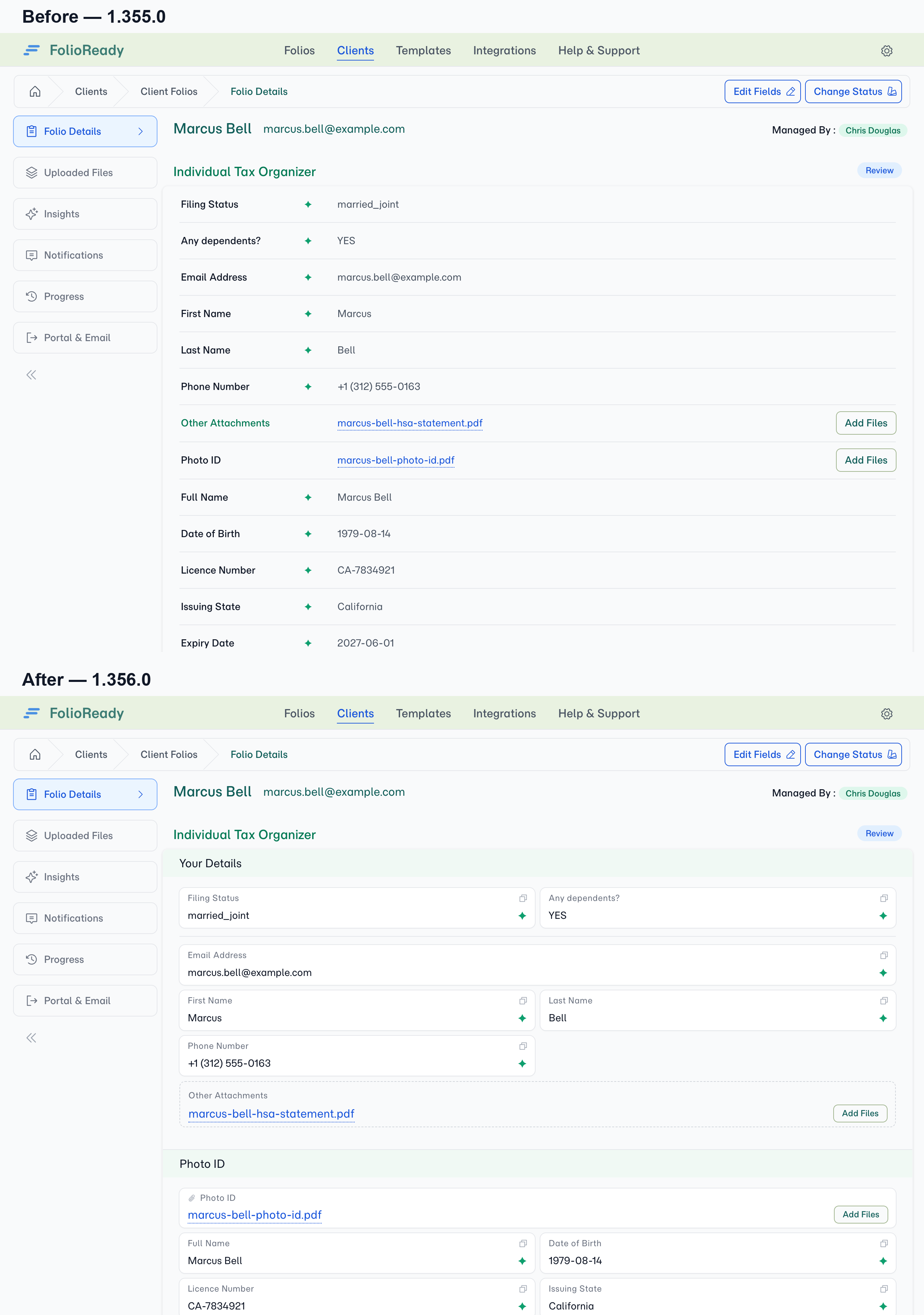
The same folio, read back the old way and the new way — every value is identical, only the shape changed.
Connecting...
Read a Submission Back as the Form It Was
Your client filled in a structured form — sections in an order, fields grouped, some questions side by side, a named slot for every document you asked for. Then you open the folio and read it back as one long column of label-and-value rows, in no particular shape, with the documents somewhere in the middle.
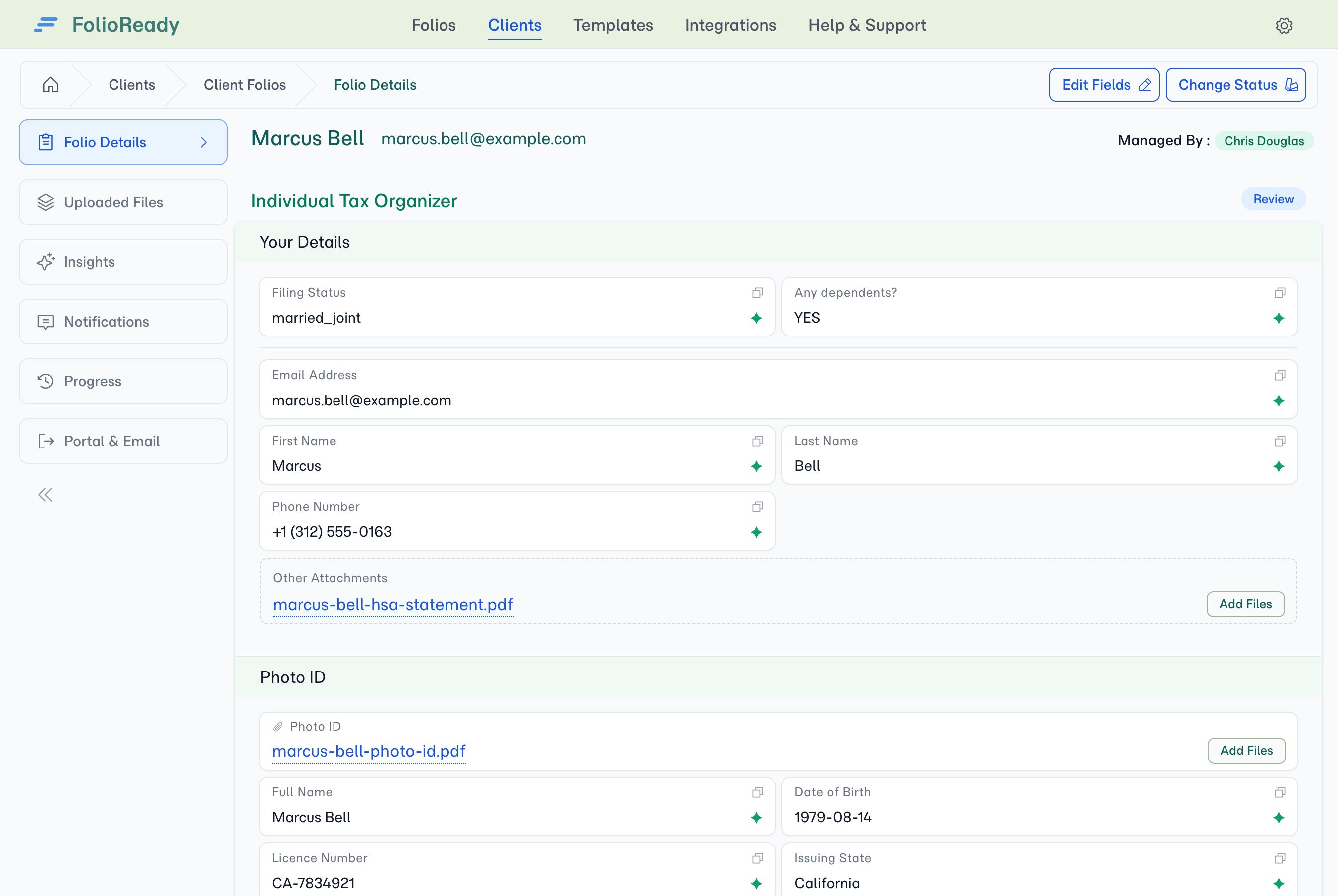
The folio's Folio Details tab now replays the submission as the thing that was filled in. Same sections, same field widths, documents sitting with the values they produced — so reading a folio is recognising a form you designed, not decoding a list.
💡
Before and after
Why it matters
The shape of the request survives
A template puts a client's details at the top, then asks for each document in turn. That grouping is a design decision — it's how the request makes sense. Reading it back in the same order, with half-width fields still side by side, means the folio you review looks like the folio you sent.
You can see which document produced which value
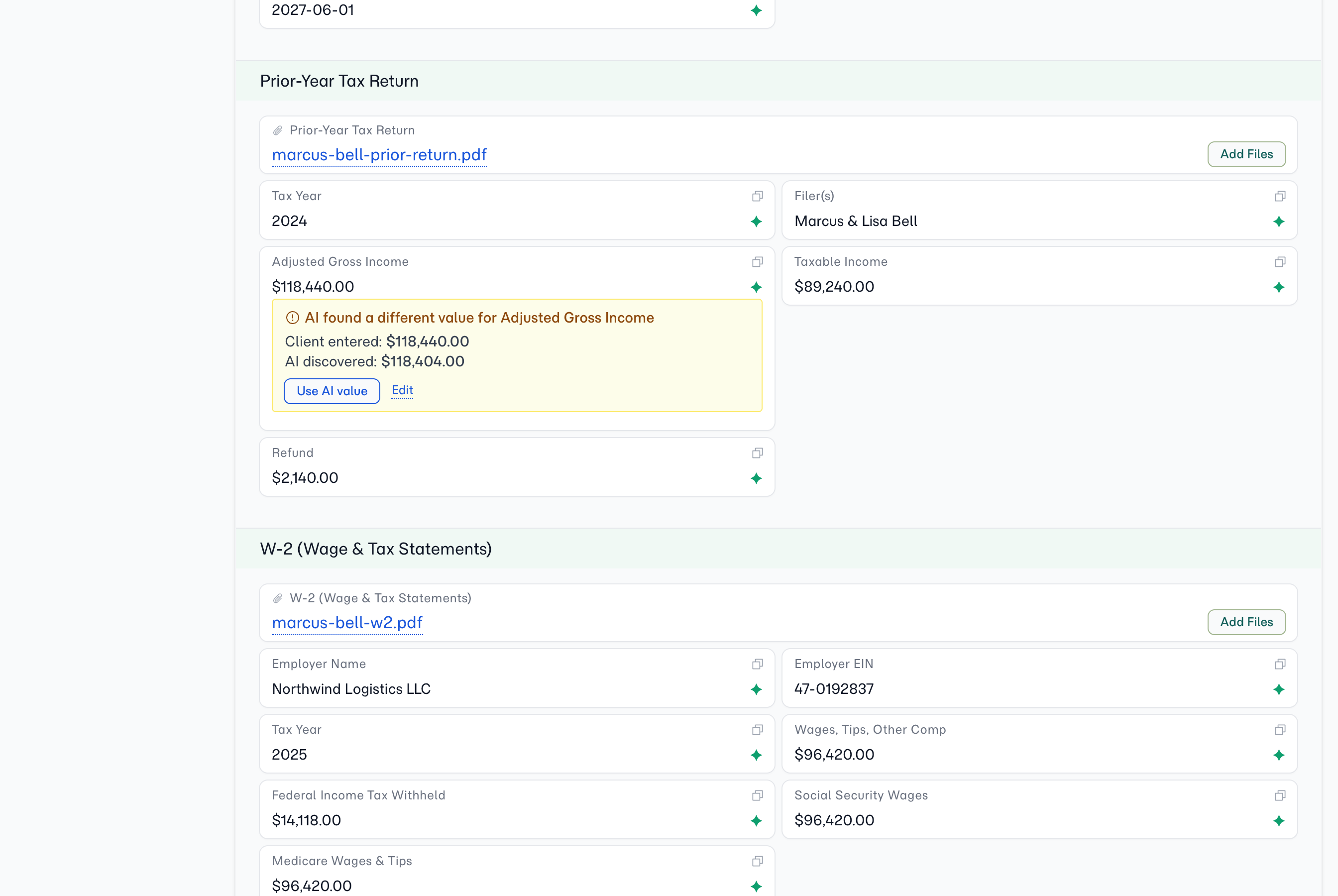
Because a template asks for each file in its own section, the fields AI read out of a document sit directly beneath it. The passport section holds the date of birth and the expiry. The bank statement holds the balances. When a value looks wrong, the document that produced it is the one immediately above it — no guessing which upload it came from.
This is also why those values are trustworthy: a document is only ever read for the fields grouped with it, so nothing on the bank statement can end up in an identity field.
Disagreements are visible where they happen
Where your client typed one figure and the AI read another off the document, the field says so in place — both values, and a single click to take the AI's. You don't hunt for conflicts; they surface on the field they belong to.
Every value is one click from your clipboard
Each field carries a copy control. Reading a folio usually ends in pasting something somewhere else — a reference number into a system, an address into a letter — and that no longer means selecting text by hand.
What you'll see
- Sections — named, in the template's order. A single-section template shows no headings, because there's nothing to distinguish.
- Field widths — a field authored half-width is half-width here too, so pairs stay paired.
- Marks on a value — a spark for a value AI extracted, a link for a field that syncs to your CRM.
- Unanswered fields — kept in place and marked, rather than dropped. An empty field is part of what the submission says.
- Document slots — the files against each slot, their processing state, a retry for anything that failed, and an Add Files button so you can attach something without opening the folio for editing.
🔒
It isn't the form
The record is deliberately styled apart from the client's form — cards on a tinted ground, no input borders — so there's never a moment where you wonder whether you're reading a submission or filling one in.
Related
- Document Checklists — how a template asks for named documents
- Industry Starter Templates — the catalog these templates come from
- Folio Progress — the same folio read as a process rather than a record
- AI Value Reconcile — what happens when the client and the AI disagree