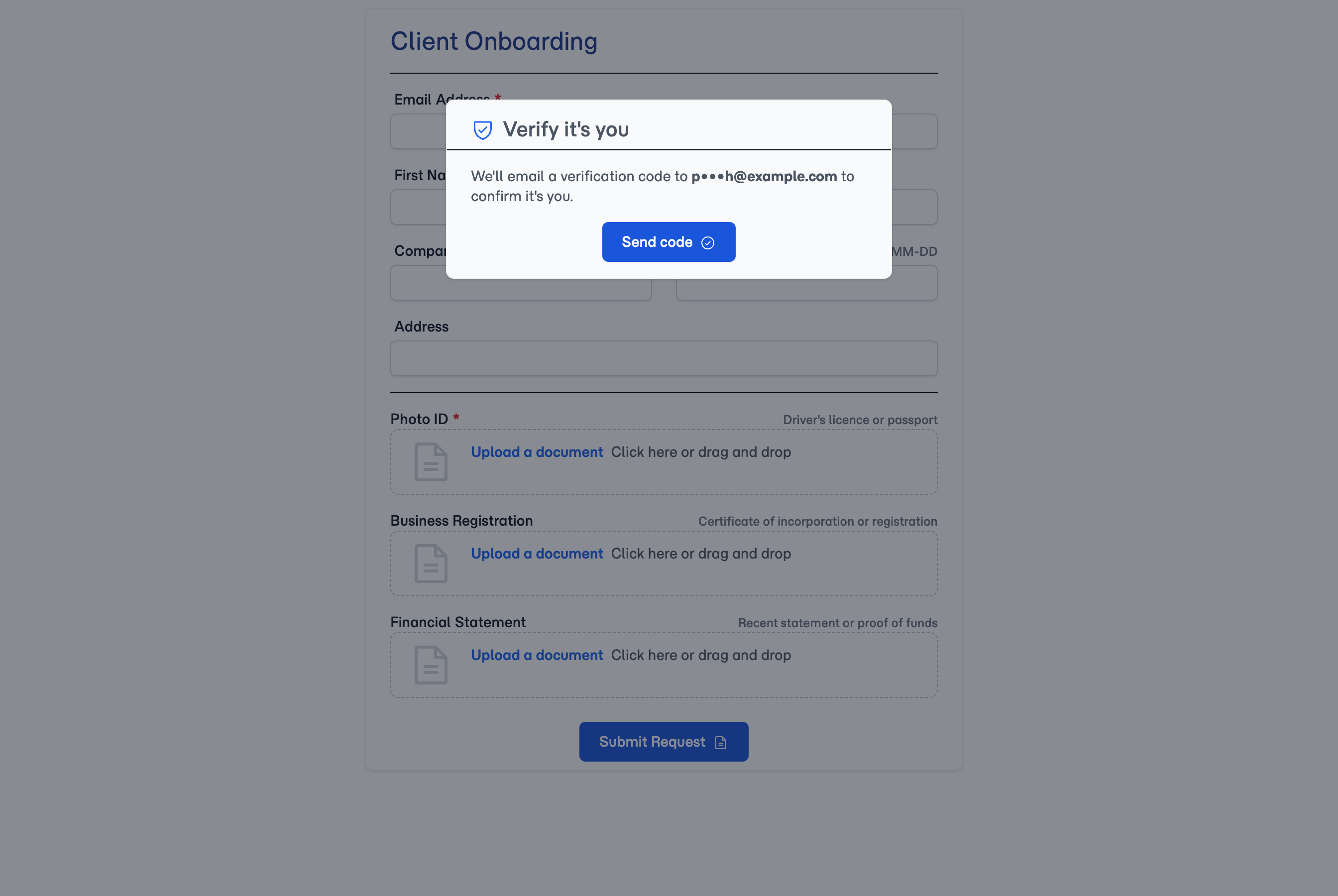
The code is emailed to the address you hold for the client — not one they type in. If that address is out of date, it lands in the wrong inbox and your client can't get in. Worth a quick look at the client's record before sending a form to someone you haven't dealt with in a while.
Connecting...
Client Forms Now Check It's Really Them
A form link is a URL — it gets forwarded, sits in an inbox for months, and opens on whatever device happens to have it. So FolioReady has never shown real client details on one, which kept the data safe but left your clients looking at their own information starred out.
Now the form asks first. Someone who just has the link sees your branded form with nothing in it. A client who confirms a short code sent to the address you hold for them sees their real details, exactly as you have them.
What's New
A link on its own reveals nothing
Whoever opens a client's form link gets your questions, your title, and your branding — and no name, no email, no phone number, no uploaded documents. If a client forwards their link to the wrong person or leaves it open on a shared laptop, there's nothing on screen to find. Even the address the code is sent to appears masked, so the link can't be used to work out who the form is for.
Your client sees their real details
Once a client confirms their code, the form fills in with what you actually hold for them — name, email, phone, and anything already submitted — shown locked rather than as a form to retype. They can check at a glance that you have them recorded correctly, which is what a returning client wants to do anyway. Previously those details were starred out even for the client themselves; now they're simply shown, once you know it's them.
No account for your client to create
There's nothing for a client to sign up for and no password to forget. They enter a six-digit code emailed to the address already on their record, and that's the whole thing. The email names your company so they can see which form it belongs to.
Your public enquiry forms are untouched
A blank form from a template link — the one you embed on your website or send to attract new work — has no client behind it and nothing on file to protect, so it stays wide open. Nobody filling in an enquiry is asked to confirm an address you don't have yet.
How to Use It
- Nothing to switch on — every client form you send is checked automatically.
- Send the folio link exactly as you always have.
- Your client opens it, taps to get a code, and enters it. Their details appear.
- To see the form yourself, open the folio's Portal tab — it shows the link to share alongside a live preview that skips the check, so you never need to email yourself a code.
📇
The code goes to the address on the client's record
What's Improved
- Client details are shown, not masked. Identity fields on a client's own form used to appear starred out on the portal. Now they're withheld from anyone unverified and shown in full — read-only — to the client once they've confirmed the code.
- A shared link can't be used against your client. Codes can be requested at most once a minute, and no more than five in any ten-minute stretch, so someone holding a link they shouldn't have can't bury your client's inbox in mail that carries your company's name.
- Existing folios need no changes. Forms you've already sent are covered from now on — there's nothing to reissue or reconfigure.
Related
- Portal Email Verification — The full feature, with screenshots of what your client sees before and after
- Embedding Forms on Your Website — Public template forms for new enquiries, open by design