Using Google or Microsoft to sign in only confirms your identity. It's completely separate from connecting Google Drive or Gmail as an integration — those ask for explicit permission to your files or email, and you set them up yourself. Signing in never touches your data.
Connecting...
Sign In with the Account You Already Have
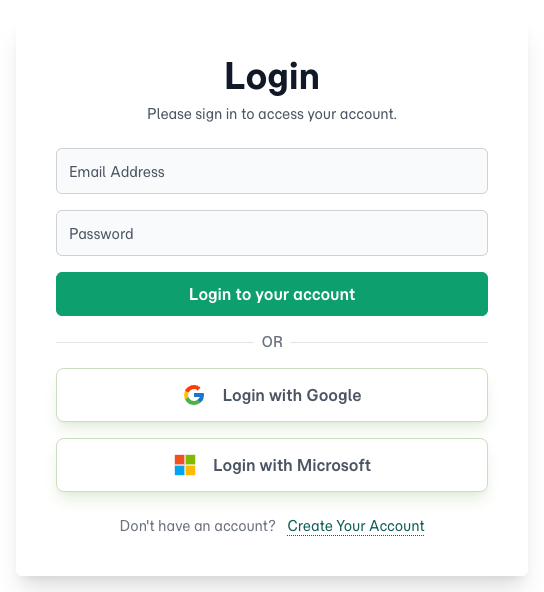
You already sign in to Google or Microsoft every day — for email, your calendar, your documents. So why create and remember another password just for FolioReady? Now you don't have to. Login with Google and Login with Microsoft let you sign in with the account you already trust, in a single tap.
Why use it
No new password to manage
There's nothing to create, store, or reset. You sign in with the Google or Microsoft account you already use, and FolioReady never sees or keeps a password for it — so that's one fewer credential to protect.
Your existing security comes along
Whatever already guards your Google or Microsoft account — two-factor authentication, your firm's security policies, a hardware key — automatically guards your FolioReady sign-in too. You get that protection without configuring anything.
Faster, every time
No typing, no "forgot password" detours. Pick your account and you're in — on your laptop first thing in the morning, or your phone between client meetings.
It only confirms who you are — nothing more
This is sign-in, not access. FolioReady uses Google or Microsoft purely to verify that you are you. It never reads your email, opens your files, or looks at your contacts, and it stores no Google or Microsoft password or token on your behalf.
How it works
From the sign-in screen, choose Login with Google or Login with Microsoft. Google or Microsoft confirms your identity in their own secure window, then sends you straight back to FolioReady, already signed in. That's the whole flow — there's nothing to set up first, and you can still use your email and password whenever you prefer.
🔒
Signing in is not the same as connecting an integration
Related
- File Storage Integrations — Connect Google Drive or Dropbox to save client files. A separate, permission-based connection — distinct from simply signing in.