Pricing You Can Predict, on Plans That Match How You Work
We've rebuilt the way FolioReady is priced. Sign up and you get a free trial — no card, no commitment — to see how the product fits your day. When you're ready to subscribe, pick from four plans sized to how many documents you process and how much AI you lean on. Everything you use is metered against your plan, visible on your dashboard, and capped at a spend limit you choose.
What's New
A free trial when you sign up
New accounts start with a 30-day free trial on Essential allowances — 25 documents, 25,000 AI tokens, and 1 GB of storage to play with. The full product is open the whole way through: every template, every AI feature, every integration. No card up front. When the trial ends, your client portal politely pauses uploads until you pick a plan, but everything you've built sticks around. The day you subscribe, your meters reset and the new plan's allowances kick in immediately.
Four plans built around your volume
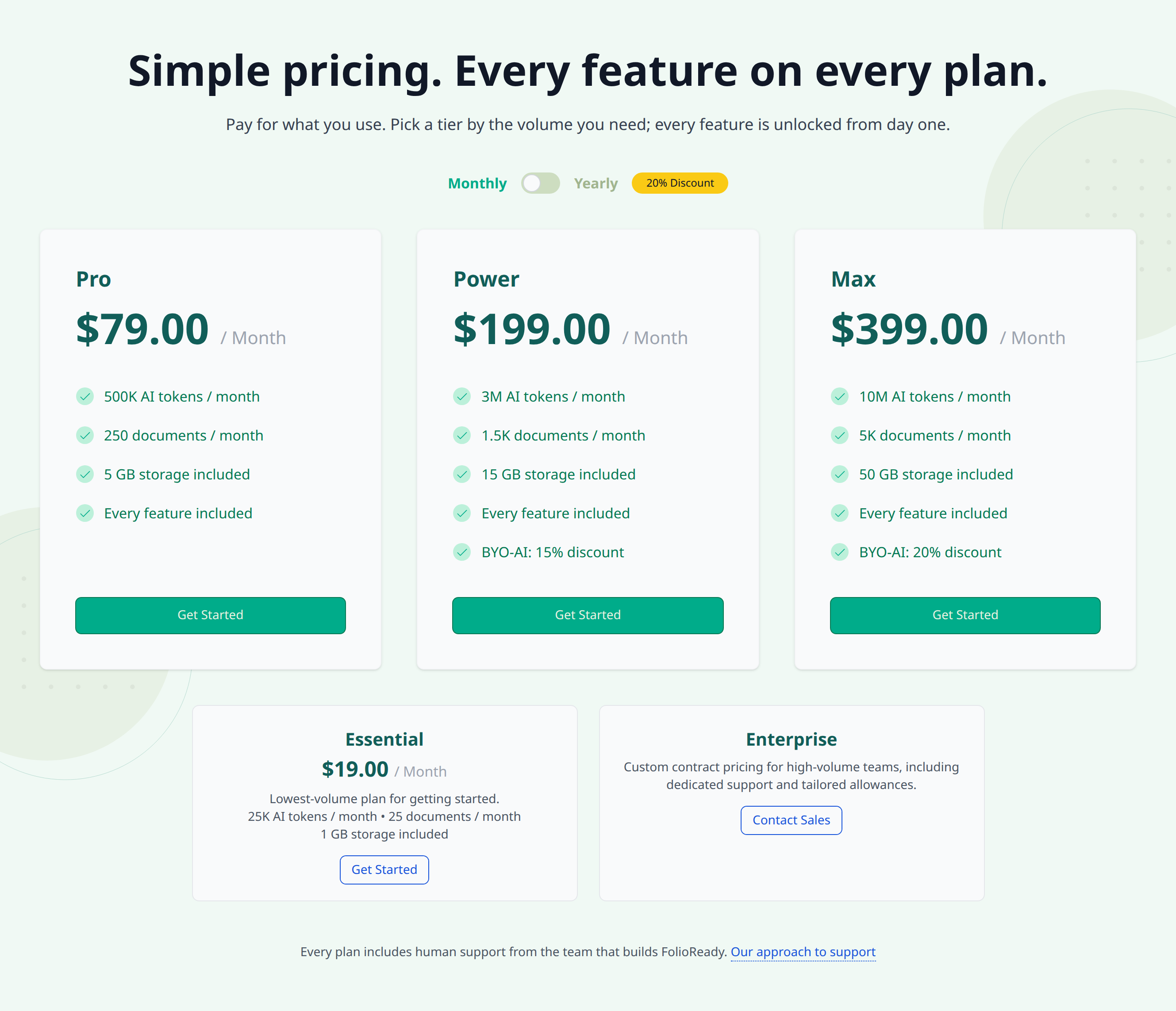
Essential, Pro, Power, and Max — each comes with a monthly allowance of tokens (the unit that covers AI features like insights and field extraction), a monthly allowance of documents (one per file your clients submit), and a cumulative storage cap. If your numbers are bigger than Max, Enterprise is a contact-sales tier with allowances set by your contract.
| Plan | AI tokens / month | Documents / month | Storage |
|---|---|---|---|
| Essential | 25,000 | 25 | 1 GB |
| Pro | 500,000 | 250 | 5 GB |
| Power | 3,000,000 | 1,500 | 15 GB |
| Max | 10,000,000 | 5,000 | 50 GB |
| Enterprise | by contract | by contract | by contract |
A Usage dashboard you can actually read
A new Usage page under Company shows your tokens, documents, and storage as live meters: how much you've used, how much is left, what each event cost. Tokens and documents reset every cycle; storage is cumulative and frees up the moment you delete files. Hover any event in the list to see whether it consumed documents, tokens, or both.
Auto-reload, so a busy week doesn't stop you
Set a threshold and a top-up amount for documents and tokens independently — when your balance drops past the threshold, FolioReady tops you up automatically and adds the charge to your next invoice. Turn it off and you'll just see overage at cycle end instead.
A monthly spend limit you control
Cap how much you'll spend on top-ups in a billing cycle. If you've consumed everything in the cap and auto-reload would push you past it, the top-up doesn't fire and processing pauses until the next cycle or until you raise the limit.
Bring-your-own-key discount on Power and Max
If you're already using Bring Your Own AI Keys, your AI calls run through your own provider account — so the AI portion of your FolioReady plan is doing less work. To reflect that, Power gets a 15% discount and Max gets a 20% discount as long as your BYO credentials are active. Remove the credentials and the discount comes off automatically at the next cycle.
Close your account on your own terms
A new Account Close option in Company settings lets you wind down without emailing support. Close from the screen and your account flips to a closed state, your client portal stops accepting new uploads, and you're signed out a few seconds later.
How to Use It
- Sign up — your free trial starts immediately
- Try the product — every feature is open during the trial
- Pick a plan at /pricing when you're ready to subscribe
- Configure auto-reload and your spend limit under Company → Usage → Configure so a busy stretch doesn't surprise you
- Watch the meters on Company → Usage to see how the workload tracks against your plan
What's Improved
A new pricing page
The marketing pricing page has been rebuilt around the four plans, with the Enterprise contact card alongside the self-serve tiers and the BYO discounts called out where they apply.
A clearer billing area
The Company → Billing page is rewritten to fit the new catalogue — your active plan, what's billing next cycle, and the controls for upgrading or downgrading. If BYO credentials are active and you try to downgrade off a plan that supports the BYO discount, the page tells you up front instead of letting the change fail later.
Storage allowances you can see
Each plan now includes a storage allowance for the files behind your folios. The Usage page shows where you sit against the cap, and uploads are gracefully blocked when you'd run past it — with a clear explanation, not a generic error. Deleting a file frees the bytes immediately.
Related
- Pricing — Compare the four plans side by side
- How Tokens, Documents, and Storage Work — Background on the metering model, overage, and the spend cap
- Bring Your Own AI Keys — Bring your own provider key for the BYO discount on Power and Max