A Folio Now Reads as the Form Your Client Filled In
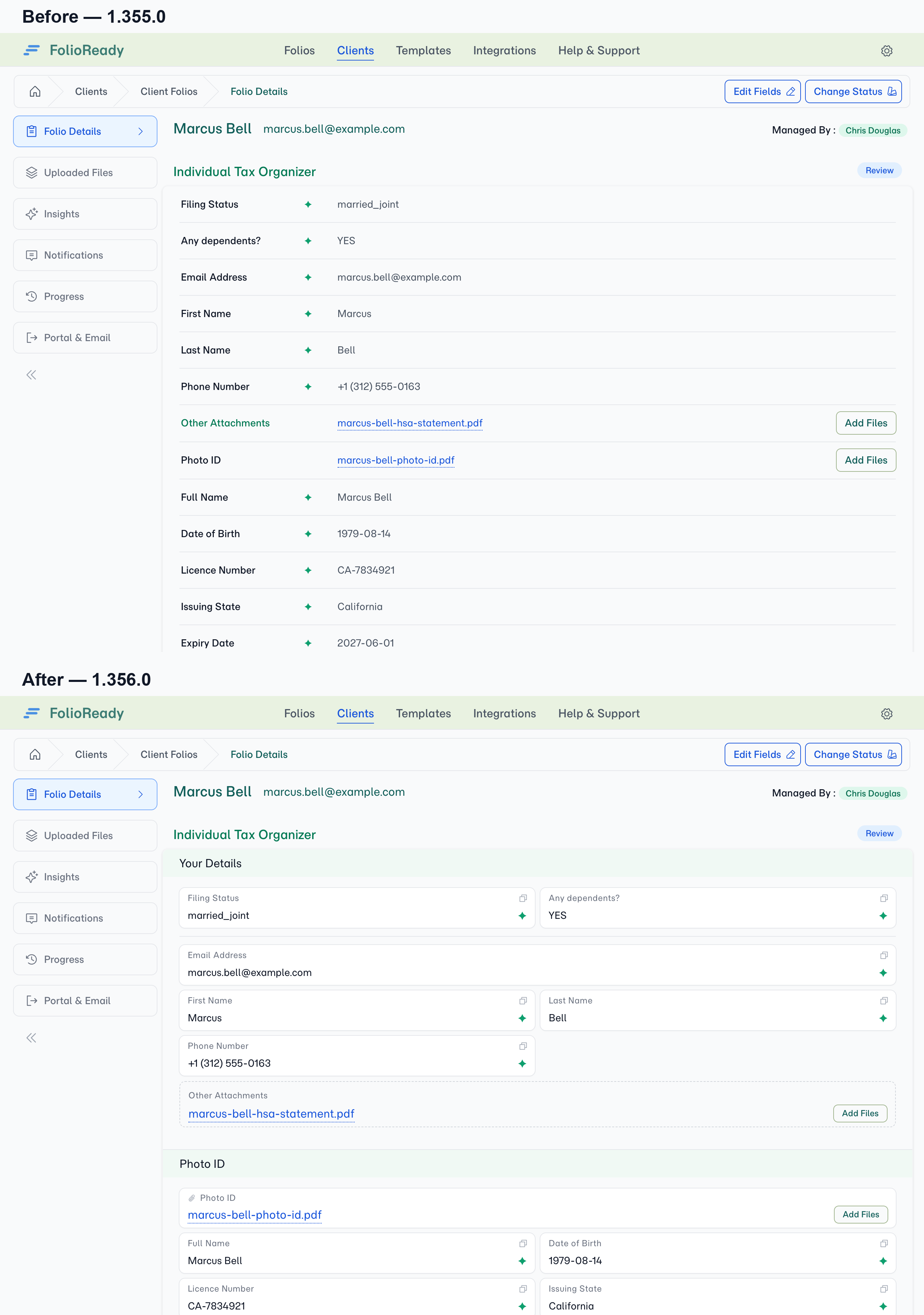
A submitted folio used to come back as one long column of label-and-value rows. Everything was there and nothing was wrong, but the shape was gone — the sections you designed, the fields you put side by side, the documents you asked for by name all arrived as the same undifferentiated list.
The Folio Details tab now replays the submission in the shape it was made: same sections, same field widths, and every document sitting with the values that came out of it.
What's New
The submission keeps its shape
Sections appear in the template's order and carry their names. A field authored half-width is half-width here, so pairs that were designed to sit together still do. Headings and dividers that gave the form its structure are back.
A template with only one section shows no heading — there is nothing to tell apart.
Values sit with the document they came from
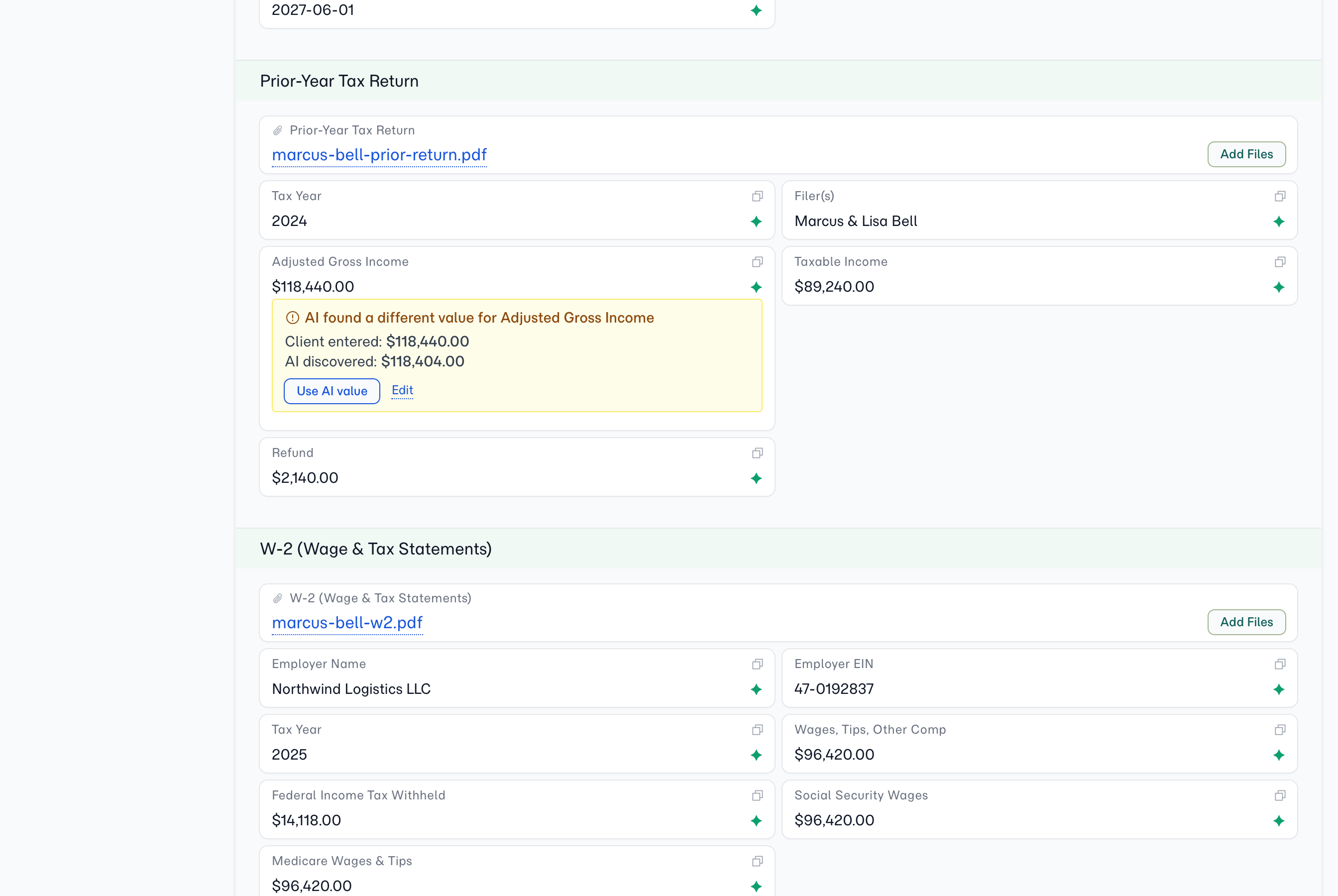
Because each document is asked for in its own section, the fields AI read out of a file appear directly beneath it. The identity document holds the date of birth and the expiry; the financial statement holds the balances. When something looks wrong, the file that produced it is right there.
It also means a document is only ever read for the fields grouped with it, so one file's contents can't turn up in another's field.
Conflicts show on the field they affect
Where your client's answer and the AI's reading disagree, the field says so in place — both values, and one click to accept the AI's.
Copy any value without selecting it
Every field carries a copy control, so the usual next step — pasting a reference or an address somewhere else — is a single click.
Documents keep everything you could already do
File lists, processing state, a retry for anything that failed, and an Add Files button on each slot, so you can attach a document without opening the folio for editing.
What's Improved
Unanswered fields stay visible. A field the client left empty keeps its place and is marked as unanswered, rather than vanishing. What a submission doesn't say is part of reading it.
Lists and tables keep their structure. A list of names reads as a list and a table reads as a table, instead of being flattened into one comma-separated line.
A record no longer looks like a form. The view is deliberately styled apart from the one your client fills in, so there's no moment of wondering which you're looking at.
What's Fixed
The section heading no longer repeats the folio name. On a single-section template the heading duplicated the title directly above it.
Stray dividers are gone. Rules that once separated the logo block from the fields were left dividing nothing.