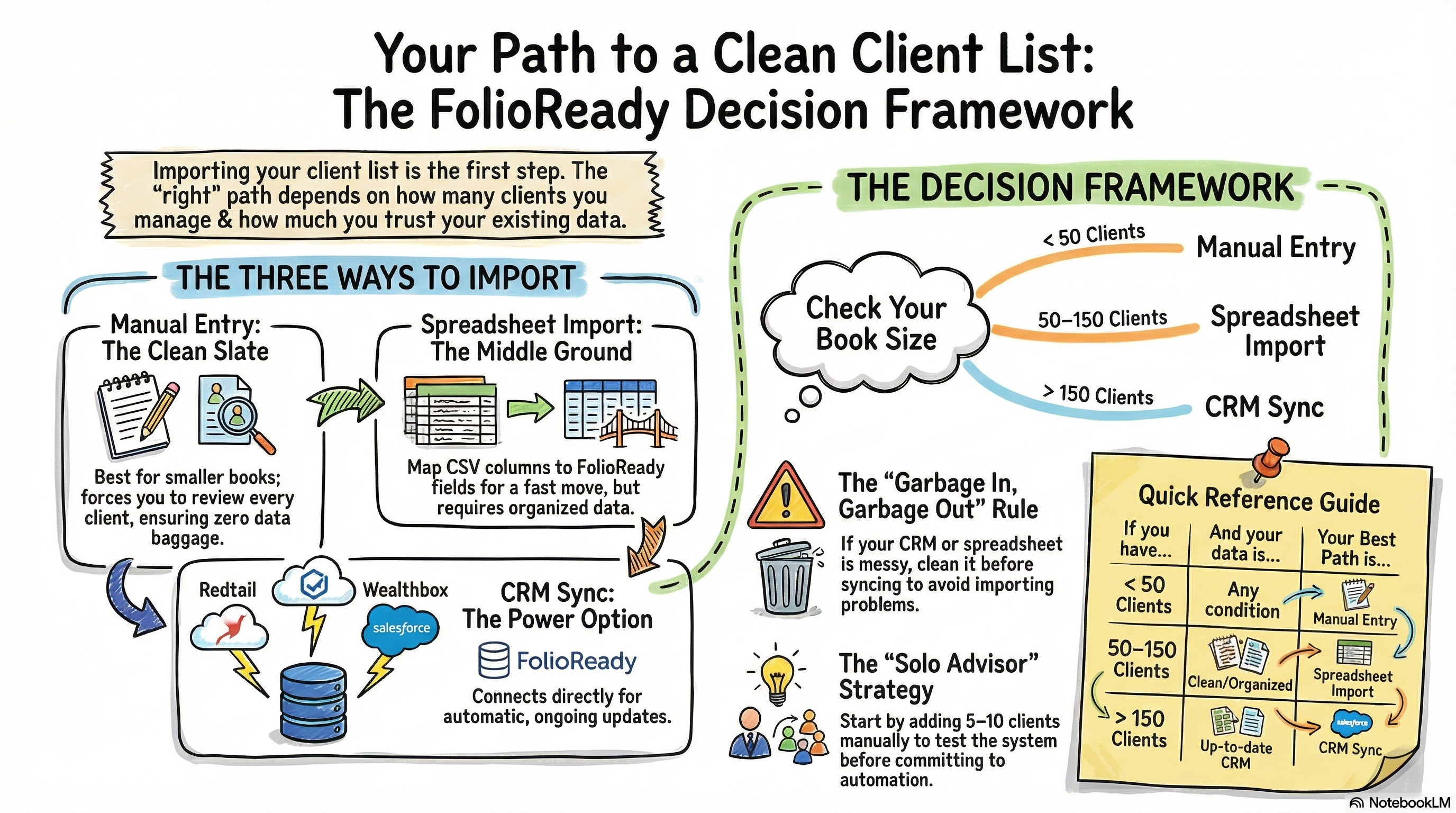
Fewer than 50 clients and no CRM? Add them manually — it's worth it for the clean start. Have a CRM you actually use? Sync it. Have a spreadsheet? Import it, but scan for duplicates first. There's no wrong choice here, just a tradeoff between speed now and cleanup later.
Connecting...
Can I Import My Client List?
The first thing most advisors want to do when they sign up for FolioReady is get their clients in. And the first question that follows is almost always: "Wait, do I have to add everyone by hand?"
The short answer is no — you have options. But the more useful answer is that the right approach depends on where your data lives right now and how clean it is. Picking the wrong method isn't a disaster, but it can create extra work down the line. So before you start clicking around, it's worth spending two minutes thinking through which path makes the most sense for you.
The Three Ways to Get Clients In
FolioReady supports three approaches: manual entry, spreadsheet import, and CRM sync. Each one has a natural home.
Manual entry is exactly what it sounds like — you add clients one at a time through the interface. It feels slow, but it has a real advantage: you're forced to think about each client as you enter them. There's no baggage from old data, no mystery columns, no duplicates you didn't know you had. For advisors with a smaller book, this is often the cleanest path.
Spreadsheet import lets you upload a CSV file with your client data and map the columns to FolioReady's fields. This works well when your data is already reasonably organized and you want to move quickly. The catch is that your import is only as good as your spreadsheet. If your spreadsheet has inconsistent formatting, missing emails, or clients you haven't worked with in five years, all of that comes along for the ride.
CRM sync connects FolioReady directly to your existing CRM — Redtail, Wealthbox, Salesforce, and others. When you add or update a client in your CRM, the change flows through automatically. This is the most powerful option if your CRM is genuinely your system of record. But if your CRM data is messy or out of date, syncing it just imports those problems into a new place.
The Harder Question: Where Does Your Data Actually Live?
Before you decide on a method, it's worth being honest about something: where is your client list actually kept, and how much do you trust it?
A lot of advisors will say "my CRM" — but when they look closely, they find duplicate entries, clients whose contact info hasn't been updated in years, and a handful of people who are technically in the system but haven't been active clients since the previous decade. A CRM sync will pull all of that in.
Similarly, advisors who export a spreadsheet from their portfolio management software sometimes discover that what looks like a clean list has three entries for the same household, or email addresses that belong to a spouse who passed away two years ago.
None of this means you shouldn't import — it means it's worth doing a quick audit before you do.
A Framework for Deciding
Ask yourself these questions:
How many active clients do you have?
If you're working with fewer than 50 clients, manual entry is genuinely worth considering. Yes, it takes longer upfront. But you'll end up with a cleaner, more intentional client list — and you won't spend time later cleaning up imports.
If you have 50 to 150 clients, a spreadsheet import starts to make more sense, especially if you can export a clean list from your current system. The time savings are real at this scale.
If you're managing more than 150 clients, you almost certainly need automation. Manual entry isn't realistic, and you'll want the ongoing sync that a CRM connection provides — not just a one-time import.
Do you use a CRM, and do you actually keep it up to date?
If you have a CRM and it's your primary system for tracking clients — the place where you log notes, update contact info, and manage relationships — then sync is the right answer. It means FolioReady stays current without extra effort.
If you have a CRM but you've been meaning to clean it up for two years and haven't gotten around to it, stop and do that first. A sync will make your problems in FolioReady harder to see, not easier to fix.
If you don't use a CRM, don't worry about it. You're not missing out — many solo advisors manage just fine without one.
How organized is your existing data?
Take a look at whatever export you'd use as your source. Open it in a spreadsheet and scan for obvious problems: duplicate names, missing emails, outdated phone numbers, entries that are really the same household under different spellings. If it looks solid, import it. If it's a mess, you'll save time by cleaning the spreadsheet first — or, for a small enough book, by just doing manual entry and skipping the cleanup entirely.
What Most Solo Advisors Should Do
For most solo advisors just getting started with FolioReady, here's a practical guide:
If you have fewer than 50 clients and no CRM, add them manually. It's two or three minutes per client, you'll end up with a clean list, and you won't carry forward any old data problems.
If you use a CRM and keep it reasonably up to date, connect the sync. That's what it's there for, and it will save you ongoing maintenance work.
If you have a spreadsheet that you've been maintaining yourself — maybe something you built in Excel or exported from your portfolio software — and it's in reasonable shape, import it. Just do a quick scan first to catch obvious issues before they follow you in.
If none of those feel quite right, start with a few manual entries to get a feel for the system. You can always import more later. Your client list isn't permanent — you can add, edit, and clean it up as you go.
💡
Quick answer if you're skimming
One more thing worth saying: don't let this decision stop you from getting started. Plenty of advisors have added five or ten clients manually, used FolioReady for a few weeks to see how it fits into their workflow, and then done a larger import once they were sure it was the right tool. That's a completely sensible approach. The goal is to start working, not to achieve a perfect setup before you do anything.